How Ecommerce Stores Should Evaluate WhatsApp Business API Platforms for Notifications
A failed order confirmation costs you a support ticket and a refund request. Notification messages are the one WhatsApp category your store sends every day, and picking a platform on price alone usually means discovering delivery gaps after launch. Some tools bury rate limits and template rejection handling in the fine print.
This article walks through what to test before you commit: delivery rates, latency, uptime, template approval and opt-in compliance, plus the ecommerce and helpdesk integrations that cut manual work. You will also see how pricing models, security terms, and support SLAs shape the real monthly cost, and how Com.bot fits as an Official Meta Business Partner.
Why Notification Reliability Is the First Thing to Test
When a customer places an order, the confirmation must arrive in seconds, not minutes, and that speed and certainty define whether your notification system is an asset or a liability. Everything else you evaluate on a WhatsApp Business API platform, from template management to analytics, matters far less if the messages themselves do not reach the customer.
Reliability sits at the center of the customer experience for an ecommerce store. A shopper who never receives an order confirmation starts to question whether the purchase went through at all. That uncertainty turns into support tickets, refund requests, and in some cases a chargeback.
Consider what happens when a delivery status message fails silently. The customer waits at home for a package that arrived hours earlier, or worse, assumes the order was never shipped. The store absorbs the cost of the support call, the reputation hit, and possibly the lost repeat purchase.
Delayed notifications create a different kind of damage. A payment reminder that arrives after the customer has already paid looks careless. A shipping update that lands two days after the parcel was delivered makes the brand seem disorganized.
This is why reliability testing comes before feature comparisons. Before you evaluate template libraries, chatbot flows, or dashboard design, you need to stress-test delivery performance under conditions that resemble real traffic. A platform that looks polished in a demo can behave very differently during a flash sale or a holiday rush.
Testing early also protects your sender reputation. If a provider delivers poorly from the start, your phone number accumulates quality issues that are difficult to reverse. Once that damage is done, even a switch to a better platform carries the baggage of a tarnished quality rating.
Delivery Rates, Latency, and Uptime Benchmarks to Demand
A 98% delivery rate sounds impressive until you realize that 2% of your order confirmations vanish, leaving customers confused and support teams scrambling. For transactional messaging, that failure rate is not acceptable. Set your minimum bar higher and hold providers to it.
Experts recommend treating the following as baseline requirements when you evaluate any API provider or BSP:
- Delivery rate: at least 99.5% for utility notifications such as order confirmations and shipping updates
- Latency: under five seconds from trigger to handset for time-sensitive messages
- Uptime: 99.9% or better, measured monthly, with published status history
- Throughput: enough messages per second to absorb your peak order volume without queuing
Latency deserves special attention. A confirmation that arrives in thirty seconds feels broken to a customer who is still staring at the checkout screen. Sub-five-second delivery keeps the purchase feeling complete and reduces the chance that a shopper contacts support out of doubt.
Uptime claims are easy to make and hard to verify. Ask providers for historical status data rather than a marketing figure. A platform that has never published an incident report is not necessarily flawless. It may simply not be transparent.
Throughput and rate limits determine what happens during your busiest moments. A flash sale can push order volume far above a normal day. If the platform caps messages per second below your peak, notifications queue up and arrive late, which defeats the purpose of real-time updates.
Test these benchmarks with real sends, not documentation. Run order confirmations, shipping updates, and payment reminders across different hours, days, and volume levels. Send during a low-traffic window and again during a simulated spike. Watch how delivery receipts behave in each scenario.
Monitor your quality rating and messaging limits inside WhatsApp Manager throughout the test. Meta adjusts these based on how recipients respond to your messages. A rising block rate or a falling quality score signals that something in your content, timing, or targeting needs attention before you scale.
Track read receipts and click-through rates as secondary signals. They do not prove delivery on their own, but a sudden drop in read receipts alongside steady sends often points to a delivery problem rather than a content problem.
Document everything you observe. A simple log of send time, delivery time, and outcome per message gives you a factual basis for comparing providers. When a sales representative promises performance, your own test data becomes the tiebreaker.
The Core Notification Use Cases Your Platform Must Handle
Your WhatsApp notification platform must seamlessly handle the entire order lifecycle, from the moment a customer clicks 'buy' to the final delivery confirmation. These messages are not optional extras. They are the backbone of post-purchase customer communication for any ecommerce store.
Three categories dominate day-to-day operations: transactional updates tied to orders, shipping and delivery status alerts, and cart recovery nudges. Each one demands automation, reliability, and strict adherence to WhatsApp policies.
When evaluating an API provider or BSP, map these use cases against the platform's capabilities before anything else. A tool that cannot trigger messages from ecommerce events, or that fails to deliver them consistently, will erode trust quickly. Look for clear support for event-based triggers, reliable delivery, and policy-compliant message flows.
Keep in mind that these notifications are transactional in nature, so they should feel helpful rather than promotional. That distinction affects template categories, approval odds, and how customers perceive your brand over time.
Order Confirmations, Shipping Updates, and Abandoned Cart Alerts
An abandoned cart alert sent shortly after abandonment can help recover lost sales, but only if it reaches the customer quickly and includes a direct payment link. Speed and personalization decide whether the message converts or gets ignored.
Each notification type has its own content requirements:
- Order confirmations should include the order number, item list, total amount, and an estimated delivery window.
- Shipping updates must trigger on carrier scan events and include a tracking link the customer can tap immediately.
- Abandoned cart alerts need personalized product images and a one-tap checkout link that returns the shopper to a pre-filled cart.
Automation is what makes this work at scale. Set up triggers based on ecommerce platform events such as order placement, fulfillment status changes, and cart inactivity timers. The notification platform should listen for those events and fire the right message without manual intervention.
Track a small set of metrics to judge performance. WhatsApp open rates tend to be high, well above email. For abandoned cart recovery, a healthy click-through rate signals good engagement. Conversion rate ties it together, showing how many recipients actually complete a purchase.
Compare these numbers across providers during your evaluation. Wide gaps in delivery rate or read receipt accuracy usually point to infrastructure or template quality differences.
Template Approval, Message Categories, and Opt-In Compliance
Without proper opt-in consent, your WhatsApp notifications will be blocked, and your business number could face quality rating drops or even bans. Compliance is not a formality. It is the foundation that keeps your messaging channel alive.
Every message you send outside a user-initiated session must use an approved message template. Submit templates through WhatsApp Manager, and categorize each one correctly. Utility notifications, such as order confirmation or delivery status, belong in the utility category. Promotional content, including cart recovery offers, must be categorized as marketing.
Templates that violate Meta's commerce or content policies get rejected, and repeated rejections slow down your entire operation. Review the policy guidelines before submission to avoid common pitfalls like misleading claims or restricted content.
Opt-in consent must be explicit. Customers need to clearly agree to receive messages, and every message should include straightforward opt-out instructions. A 24-hour window governs session messages: within 24 hours of the user's last message, you can reply with free-form session messages. Outside that window, only approved template messages are allowed.
Business verification and display name approval are separate steps that take time. Complete phone number verification and submit your display name early so customers recognize your brand. A verified, recognizable sender improves trust and reduces the chance of users blocking your number.
Monitor your quality rating and messaging limit throughout. A declining rating restricts how many messages you can send, which directly affects throughput and delivery rate during peak periods.
Integration and Automation Capabilities That Reduce Manual Work
Manual notification sending is a recipe for errors and delays; the right platform automates everything from order sync to payment collection. When an ecommerce store evaluates WhatsApp Business API platforms, the integration layer often matters more than the messaging features themselves.
A platform that operates as a central hub pulls event data from your store, helpdesk, and payment systems, then fires the right transactional messaging at the right moment. No one has to remember to send an order confirmation or a shipping update.
This matters because notification volume scales with order volume. A store processing a few hundred orders a week can survive on manual sends. One processing thousands cannot, and the failure mode is predictable: missed updates, duplicated messages, and customers contacting support to ask where their order is.
Automation also protects your sender reputation. Platforms that queue and throttle messages properly help maintain a healthy quality rating, which in turn supports your messaging limit and overall delivery rate. Manual blasts rarely respect those boundaries.
Ecommerce Platform and Helpdesk Integrations to Verify
If your WhatsApp platform doesn't integrate natively with Shopify, WooCommerce, or your helpdesk, you'll be stuck exporting CSV files and manually uploading contacts. That workflow breaks the moment order volume spikes.
Native integrations sync order status, customer data, and trigger notifications automatically. A new order in Shopify should generate an order confirmation without a human touching it. A status change to "shipped" should fire a shipping update with tracking details attached.
Key integrations to check before committing:
- Ecommerce platforms: Shopify, WooCommerce, Magento, BigCommerce for order and customer data
- Helpdesk tools: Zendesk, Freshdesk, Salesforce for support ticket updates and agent replies
- Custom systems: generic webhooks and REST APIs for in-house or niche platforms
- Payment gateways: connections that let you send payment links or reconcile payment status
The BSP or API provider you choose plays a direct role here. Some provide pre-built connectors and maintained integrations; others hand you raw API access and leave the plumbing to your developers. Neither is wrong, but the effort and maintenance burden differ significantly.
Use this checklist when comparing evaluation criteria across platforms:
- Real-time sync: does data flow instantly, or on a delay?
- Field mapping: can you map custom fields like order notes or loyalty tier?
- Error handling: what happens when a sync fails, and are you alerted?
- Two-way sync: can delivery status and read receipts flow back into your systems?
- Setup effort: is it a guided connection or a custom development project?
Bot Triggers, Bulk Messaging, and Native Payment Support
A bot that can send a payment link directly in the chat and confirm the transaction without leaving WhatsApp can improve conversion rates. Even setting that figure aside, the friction reduction is real: fewer steps between intent and payment.
Bot triggers generally fall into three categories. Keyword-based triggers respond to what a customer types, such as "track order" or "refund." Event-based triggers react to actions in your systems, like an abandoned cart recovery flow starting when checkout is abandoned. Time-based triggers run on schedules, such as a payment reminder sent after an unpaid invoice.
For bulk messaging, discipline protects your sender health:
- Segment audiences by order history, location, or engagement rather than blasting everyone
- Schedule sends during reasonable local hours
- Keep promotional sends separate from utility notifications
- Respect opt-in consent and honor opt-outs immediately
Native payment support is the feature most worth scrutinizing. Some platforms let you send a payment link inside the chat; others support in-chat payment flows through integrated gateways. The practical use case is abandoned cart recovery with instant payment: the customer gets a nudge, taps, pays, and receives confirmation, all within one thread.
Remember that the 24-hour window governs what you can send. Inside the window, free-form session messages are allowed. Outside it, you need an approved message template, which is why utility notification templates for order confirmation, delivery status, and payment reminder flows should be written and approved well before launch.
Watch your click-through rate and conversion rate by trigger type. If a specific automated flow underperforms, the fix is usually timing or copy, not volume. Sending more messages to compensate tends to damage the quality rating that makes the channel effective in the first place.
Pricing Models: What Actually Drives Your Monthly Cost
The sticker price of a WhatsApp API platform is rarely what you end up paying; hidden fees for conversations, seats, and add-ons can double your monthly bill.
For an ecommerce store sending order confirmations, shipping updates, and payment reminders, the real cost picture has several moving parts. A low headline subscription fee often sits on top of conversation charges, agent seats, and paid extras that only appear once you are live.
Budgeting starts with mapping your expected transactional messaging volume against each provider's fee structure. A store sending a few thousand utility notifications per month may care most about conversation markups. A larger operation with a support team may feel per-seat fees far more.
Comparing providers on subscription price alone is a common and costly mistake. The evaluation criteria that matter are the total monthly cost at your actual volume, not the entry-level plan. Ask each vendor for a cost estimate based on your real notification mix before signing anything.
Conversation Markups, Per-Seat Fees, and Add-On Charges
Some platforms charge a markup on every conversation, while others bundle conversations into tiers; knowing the difference can save you money over time.
Meta sets the base rate for each conversation category, and a BSP or API provider may add its own margin on top. If Meta charges a fraction of a cent for a utility notification, a percentage markup raises that figure slightly per message. At scale, small differences compound quickly.
Per-seat fees work differently. Providers often charge a monthly fee for each agent using the shared inbox, and typical ranges run from around $10 to $50 per agent per month. A team of ten agents can therefore add a meaningful recurring line item before any messaging costs.
Add-on charges are the third driver. Common examples include:
- Extra channels beyond WhatsApp, such as Instagram or web chat
- Additional team members or inbox seats above the plan limit
- Paid external actions like integrations, automation steps, or API calls
- Overage fees when you exceed included conversation volumes
Before committing, ask vendors a short set of questions. Are conversations billed per message or per session? What happens when you exceed the plan limit? Which features sit in the base plan versus a paid tier?
Also clarify how the 24-hour window affects billing. A session message inside the window may be priced differently from a template message sent outside it, and utility notifications like a delivery status update usually fall into the template category.
Finally, request a sample invoice at your projected volume. Seeing the line items, conversation charges, seats, and extras in one place makes comparison far easier than reading a pricing page.
Evaluating Com.bot as a WhatsApp Business API Platform for Notifications
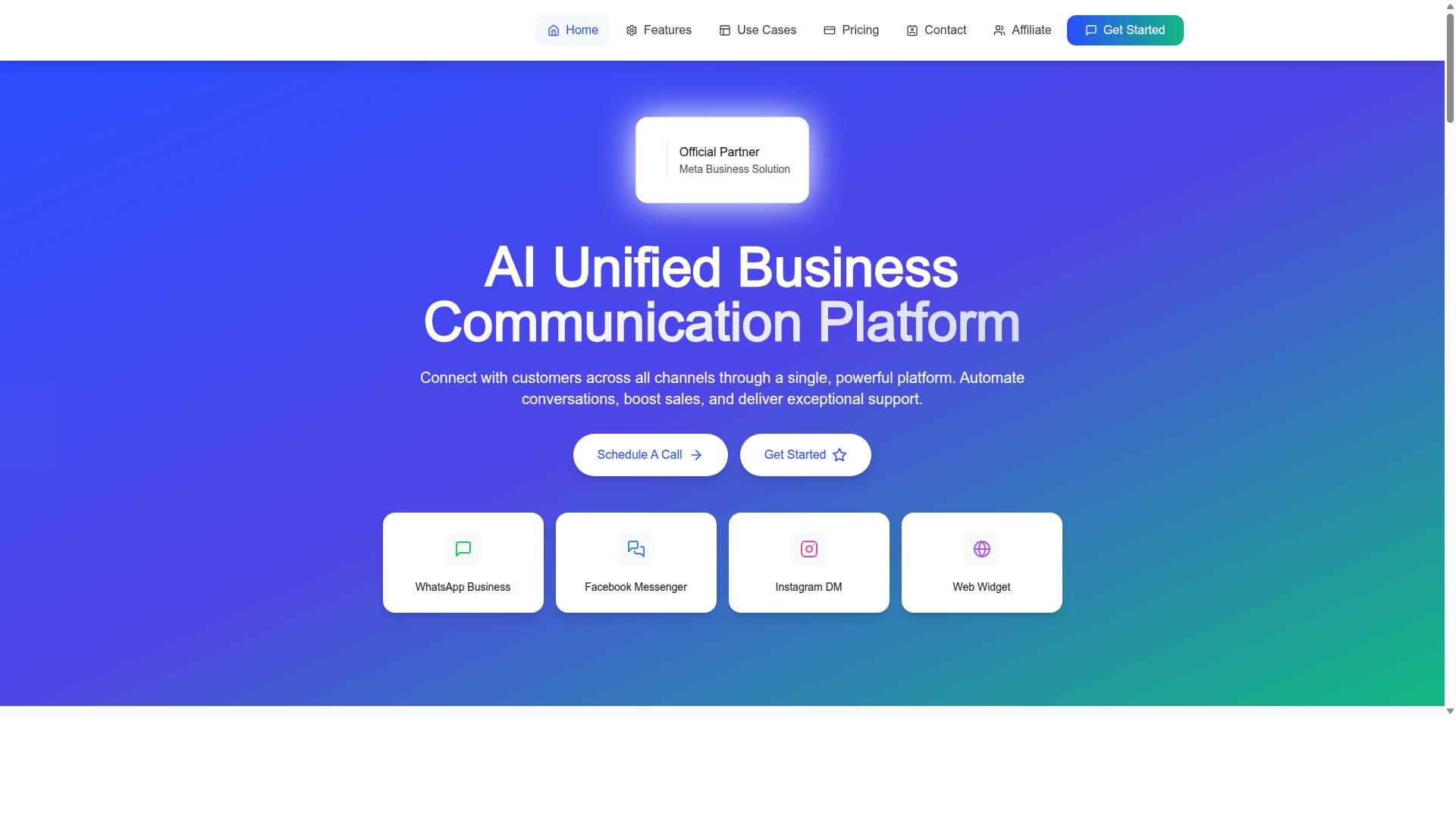
Com.bot positions itself as an AI-powered unified communication platform, but how does it stack up for ecommerce notification needs specifically? The platform connects customers across WhatsApp Business, Facebook Messenger, Instagram DM, and Web Widget through a single interface. It is owned and managed by Com Bot AI Limited.
For an ecommerce store, that multi-channel scope matters because transactional messaging does not always happen in one place. A buyer might ask about a shipping update in an Instagram DM, then expect the formal notification through WhatsApp. Com.bot's pitch is that those conversations live in one system rather than four disconnected tools.
The platform is also an Official Meta Business Partner with direct WhatsApp Business API integration. That status is one of the evaluation criteria worth weighing, because it affects how a notification platform handles template approvals, messaging limits, and compliance. This section examines Com.bot's plans, add-ons, and partnership status against the needs of an ecommerce store sending order confirmations, shipping updates, and payment reminders at scale.
Plans, Add-Ons, and What the Official Meta Partnership Means for Ecommerce Stores
Com.bot offers three plans, Silver at $149 per quarter, Gold at $349 per quarter, and Platinum V1 at $2500 per quarter, with add-ons like $10 per month for extra team members or social channels. Gold is flagged as the recommended tier. Prices are listed in USD, though the site offers an INR toggle, so currency should be verified before committing.
Beyond the base tiers, add-ons cover several expansion paths an ecommerce team tends to hit as it grows. Each costs $10 per month and includes:
- Additional team member
- Additional social channel
- External actions, per 5000
- Bot triggers, per 25000
- Ecom store
Dedicated support is billed separately at $49 per hour for WABA, CRM, and Inbox help, or $99 per hour for Ecommerce, Bots, and Automations. WhatsApp messaging itself is charged at actual Meta rates with no markup, which keeps the cost structure transparent for stores sending high volumes of utility notifications.
The Official Meta Business Partner status carries practical weight for notification use cases. Direct API access typically means a smoother path through business verification, phone number verification, and display name review, the steps that determine whether a store can send template messages at all. Partner status is also associated with faster message template approvals and higher messaging limits, both of which matter when a store needs a new utility notification approved before a seasonal campaign.
For scalability, that combination supports peak-season sends without a store outgrowing its tier overnight. A higher quality rating on the business number helps protect delivery rate and throughput, and compliance assurance reduces the risk of restrictions that would interrupt order confirmations or shipping updates. Compared with typical market offerings, a no-markup messaging model plus a low entry tier positions Com.bot toward stores that want WhatsApp notifications without enterprise-level contracts. The trade-off is that add-ons accumulate, so a store scaling team seats, channels, and bot triggers should model those costs against its projected notification volume before choosing a plan.
Security, Compliance, and Support SLAs to Check Before Signing
A single data breach or compliance violation can cost you customer trust and legal penalties, so security and support SLAs are non-negotiable. For an ecommerce store, every order confirmation, shipping update, and abandoned cart recovery message carries customer data. The platform you choose becomes a custodian of that data.
Start with end-to-end encryption for messages in transit. Confirm how data is encrypted at rest and who holds the encryption keys. Then check data storage compliance with GDPR and CCPA, especially if you sell across borders. Ask whether data is stored locally, regionally, or in a shared cloud environment.
Role-based access controls matter just as much. Your support team may need to resend a delivery status notification, but they should not see payment details or export full contact lists. Look for granular permissions that separate marketing, support, and admin roles.
On the compliance side, the WhatsApp Business Policy is strict. You need opt-in consent records for every contact, message template adherence for utility notifications, and a clear process for handling opt-outs. A platform that logs consent timestamps and template approvals protects you during audits.
Support SLAs deserve the same scrutiny as security. A 99.9% uptime commitment sounds standard, but ask what happens during the remaining 0.1%. For a high-volume ecommerce store, even brief downtime can delay order confirmations and payment reminders.
Check whether support is delivered via chat, email, or phone, and whether critical issues have a guaranteed response window. Escalation paths should be documented, not promised verbally. Penalties for downtime, such as service credits, should appear in the contract.
Use this checklist when questioning vendors:
- Where is customer data stored, and under which jurisdiction?
- What encryption is used for messages in transit and at rest?
- How are opt-in consent records captured and retained?
- What are the penalties or credits for downtime?
- How is support delivered, and what is the response time for critical issues?
- What escalation paths exist beyond first-line support?
Com.bot lists its head office at 501, Trinity Orion, Vesu Main Road, Surat - 395010, IN. Sales inquiries can be directed to sales@com.bot or +91 080 6987 1810. Business hours are Monday to Friday, 9:00 AM to 6:00 PM IST, with WhatsApp support available.
Document every answer in writing before signing. Verbal assurances about uptime or compliance rarely hold up when a notification fails during peak sale hours.